[ultimatemember form_id=3702]
STUDY ZONE
STUDY MATERIAL
Product Pricing Methods
When sales reps create a contract, they can use quote line prices from their original quote on future quotes within that contract’s account. This process, known as contracted pricing, is useful when your sales reps have negotiated a price for a product and want to continue using that price after making a contract. Salesforce CPQ uses the negotiated price on new quotes, renewal quotes, and amendment quotes.
Let’s say that a sales rep negotiates a price of $3000 for a laptop with an original price of $4000. The $3000 price appears as the quote line’s net unit price after the rep has applied the discounts. When they contract that quote’s order or opportunity, if contracted pricing is enabled, future quotes for the account show the laptop’s price before discounts as $3000.
Salesforce CPQ applies contracted prices only after you add a product to a quote. Editing a contracted price and then recalculating your quote doesn’t pull in the edited values.
During quote line price calculation, Salesforce CPQ checks whether your quote line has a contracted price. If it does, Salesforce CPQ passes that price to your quote line’s special price. It then updates the quote line’s Special Price Type field to Contracted Price.
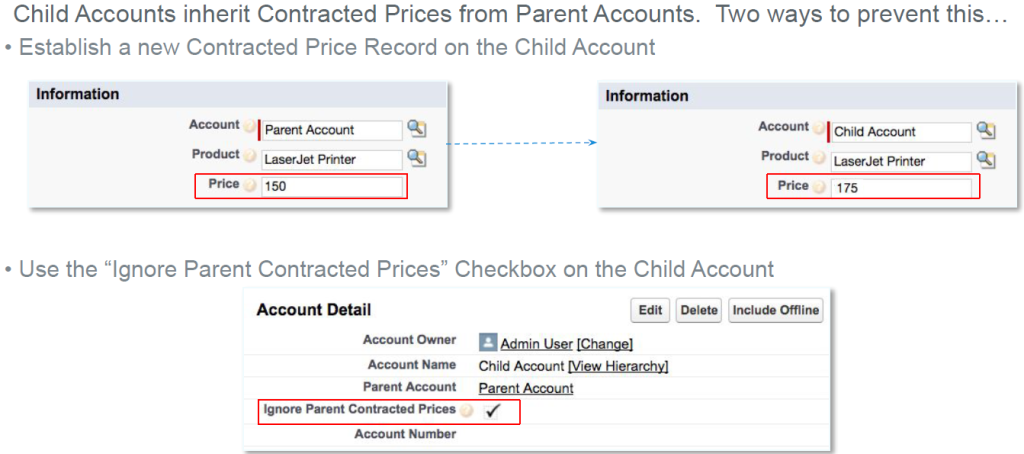
Manually Define Contracted Prices
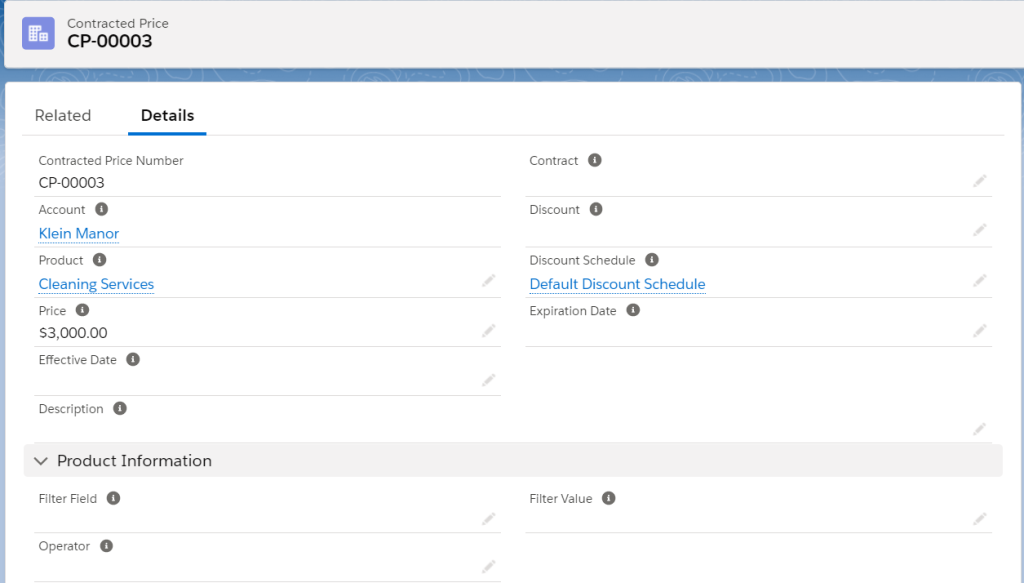
Define a contracted price record and associate it with a product. This process is useful if you’re uploading records from an external system where you’ve already negotiated for a contracted price. This way, you don’t have contract a quote first to establish the contracted price for your account’s future quotes. You can also use filters to assign the contracted price to groups of items, or apply the contracted price only on certain dates.
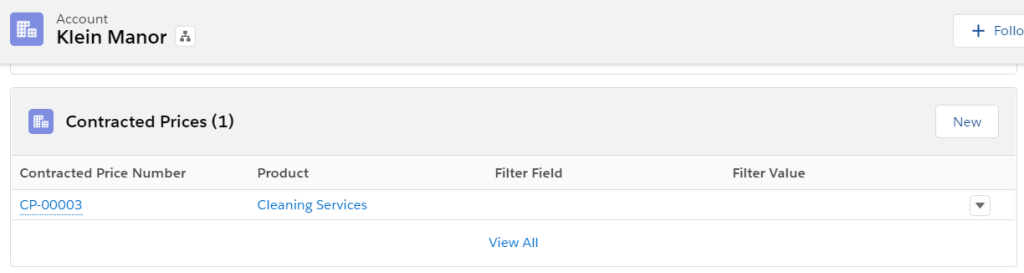
- From your account, find the Contracted Price related list and click New Contracted Price.
- Set up the pricing information for the contracted price. You can provide either a Price value or a Discount value.
- Price: Quote lines for the product set their list price to this value.
- Discount: Quote lines for the product calculate their list price by applying this discount percentage to their price book entry. This calculation ignores any block prices on the product.
- To apply the contracted price during certain dates, enter values in the Effective Date and Expiration Date fields.
- To apply the contracted price to several products, specify the filter criteria. For example, you might want to apply the contracted price to all products in the Data Security.
Contracted prices allow you to negotiate a price for a product and then use that price on future quotes within the same account. Your page layout and field-level security settings determine which fields are visible and editable on contracted price records.
Contract
If you auto-generated the contracted price, this field refers to the contract related to the quote. This allows users to quickly find the contract that established the contracted price.
Discount
The discount percentage that your sales rep negotiated with their customer. During quote line list price calculation, Salesforce CPQ applies this discount to the product’s price book entry. Salesforce CPQ ignores any block pricing on the product. You can set either a price or a discount on a contracted price record, but not both.
Discount Schedule
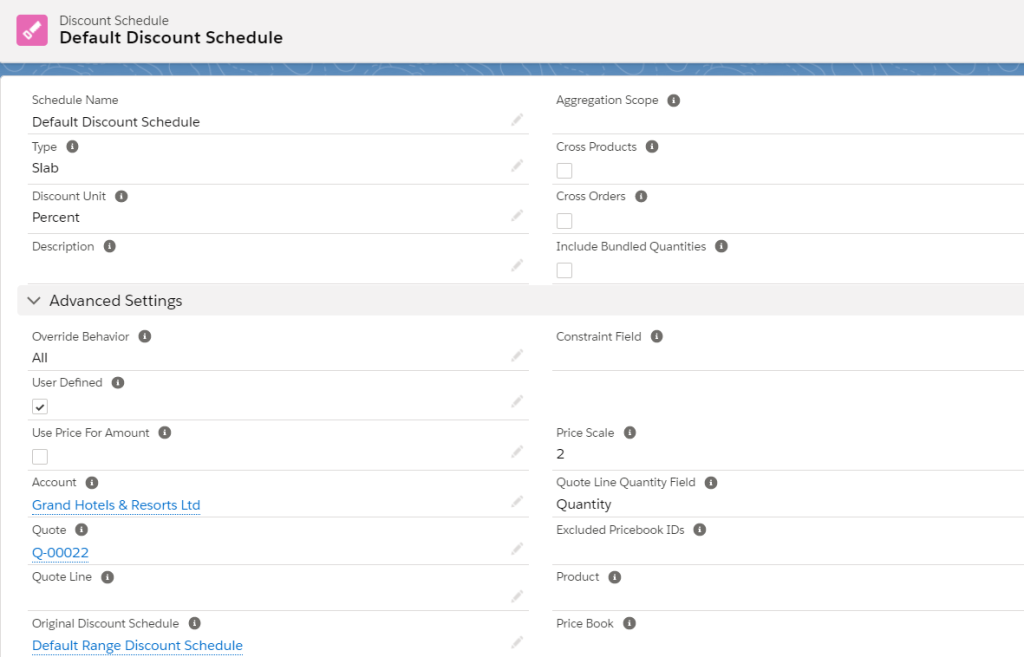
If you generated a contracted price from a product that has a discount schedule, then this field refers to the discount schedule on the product record. If you manually created the contracted price, you can define the discount schedule on the contracted price record. As long as the contracted price is active, the discount schedule on the Contracted Price record overrides the discount schedule on the product record.
Effective Date
When a sales rep adds a product with a contracted price to a quote, Salesforce CPQ evaluates the current date. If the current date falls between the contracted price’s effective date and expiration date, including both of those dates, Salesforce CPQ uses the product’s contracted price instead of the product’s price book price.
Expiration Date
When a sales rep adds a product with a contracted price to a quote, Salesforce CPQ evaluates the current date. If the current date falls between the contracted price’s effective date and expiration date, including both of those dates, Salesforce CPQ uses the product’s contracted price instead of the product’s price book price.
Non Discountable
Salesforce CPQ prevents further discounting for the product related to this contracted price.
Price
The price your sales rep negotiated with the customer. During quote line price calculation, this value overrides the quote line’s list unit price. You can set either a price or a discount on a contracted price record, but not both.
Product
All quote lines for this product on this account receive the contracted price defined in this record.